Monday, July 14, 2008

Module 3: Blogs

I've never experienced using blogs until now! (Thanks to Curtin University I've now become a blogger!)
  • Blogs can be used by anyone - experienced or not, anyone can use it!
  • It's simple and easy to use
  • You can create your own style and design to meet your needs
  • Blogs can be used for personal as well as professional use
  • Fun and exciting way to express your opinions and gather information

Blogs can be used in many different ways - Personal or professional.
One of the blogs I visit frequently is a blog by DJ Smith & Wesson (http://www.myspace.com/djsmithandwesson). It is a blog where the DJ uploads his music for all to listen to. I enjoy visiting this site because it has a great vibe and great music! Blogs such as this one can be used in a way to promote one's work - in this case, promoting his music. Blogging can be a great way of advertising and for promotion.

Another blog I found about is http://www.damnimcute.com/. This is a blog site on celebrities - updates on what is going on with them. It's an interesting site to see once in awhile. This blog has many interesting articles and photos.

Now for blogs more on the serious side!
This site (http://www.nevblog.com/) is a financial blog by Neville. It shows how and what he has done to earn money through the internet. He also seems to receive donations from people and uses the money in a very kind way! (Recently he has donated a computer to a library!)
I found this blog quite different from other blogs since it shows how an individual makes money and spends it on charity!

Many blogs are used for articles relating to politics. An example of this is the NY Times Blog (http://thecaucus.blogs.nytimes.com/), it has many articles! Personally, I'm not into politics so.. I find these kind of blogs quite boring. Anyway, blogging is a very useful way of expressing opinions and thoughts. I find blogging easy, simple to use and fun! As mentioned before, there is a variety of blogs containing different informations and topics.

Module 3: FTP

I tried uploading my 'test page' using FTP but it didn't work.

Thanks to our discussion board, I then realised that there was a presentations page created for us to upload our web page!


My web page URL: http://webct.curtin.edu.au/305033_b/student_pres/Group52/index.html

Tuesday, July 8, 2008

Module 3: Legal Issues

Have you used images or words on your web page or website that contravene copyright laws?
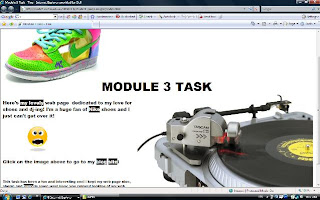
There is only 1 image file on my web page and it is an image of a turntable which I found on my computer. The words on the page are all created by myself and does not breach any copyright laws.

Would you be in breach of copyright if you put the Curtin logo at the top of your web page for an assignment?
In order to place the Curtin logo on my web page for an assignment I would need to be given permission from Curtin University before I can use the logo. According to the Curtin Copyright Brochure, it mentions that permission should be requested in writing or email. Once granted, I will be able to put the Curtin logo on my web page without the worry of breaching any copyright laws!

Module 3: HTML Tags

For this task, we were required to go through a tutorial on html.
After completing the online tutorial, I then created my own web page.

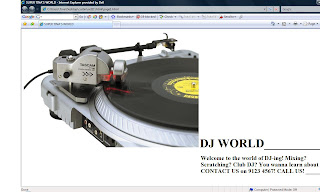
Here's my nice and simple page:

I decided to create a short and simple web page - nothing over the top.
As I was going through the tutorial exercises, I found it quite basic since I've used html before.
I'm not a professional at it but I am quite familiar with html. I found this task straight forward and not difficult at all. The tutorial was an interesting one, it's been awhile since I've used html!

Differences between HTML and blogging:

  • Blogging is simple and straight forward - anyone can use it.
  • HTML is more advanced and complicated.
  • With blogging, you don't really have to go through the hassle of creating templates - they're provided and all you have to do is choose which one you want to use. In contrast, HTML gives you the option of creating and designing your own layout without any barriers. You can create whatever style you desire!
  • HTML requires time since you have to type it all out.

I have my own pros and cons on both blogging and html but in the end I prefer using html since you can create your own style and design. With blogging you have a limit on what you can do but with html, you can add so much more. HTML can get boring and time consuming but in the end, I believe the work done through html is much better than that of blogging.

Sunday, June 29, 2008

Module 2: Group Task


I've used and experienced ICQ, mIRC, MSN, yahoo chat, Nateon (Korean instant messenging program), and SKYPE. Out of all these chat programs, I prefer to use Nateon or MSN. Previously, I enjoyed using mIRC for quite awhile but now I feel very comfortable using MSN. I don't know if I'm old fashioned or something but I prefer MSN. I had never experienced using SKYPE until now. It's an interesting program and has great features but I still prefer MSN. I believe the main reason I'm using MSN is because all my friends use it too. In other words, if I use another chatting program, I'll have no one to talk to since they don't use it.

MSN LOGO:

mIRC LOGO:


Difference between MSN & mIRC:
  1. MSN is an instant messenging program where you can chat to one person or as a group.

  2. mIRC is more used for group chatting but you can chat one on one by 'quoting' them.

  3. MSN you can add friends so you can chat with them when you go online, you also have the option of emailing fellow hotmail users.

  4. The layout of mIRC is very basic and simple whereas MSN seems quite modern.

In conclusion, there are a variety of chatting programs out on the internet and they all have similar features but differ in someway. Some are mainly for group chatting, some are for private one on one messenging and so on. As mentioned above, I prefer MSN out of all chatting programs because it is simple to use, nice modern design, there is a vast number of MSN users so it's a popular program and finally it is connected with hotmail so I receive notifications when I receive an email!

Wednesday, June 25, 2008

Module 2: Chat

For this task I decided to download the chatting program ICQ. I think the last time I used ICQ was probably when I was in year 9 (wow!).

I downloaded ICQ from http://www.icq.com/download.


I then installed it..


After the installation finished, ICQ popped up automatically.


I then created a new ICQ account.

It's been awhile since I last used ICQ and to be honest, I actually enjoyed using it! I thought I might not like it since I'm used to other chatting programs these days. BUT! It was interesting to use it once again. The difference between ICQ and other chatting programs is that you send short messages to one another. Unlike MSN, where you chat on a single page.
ICQ is a great way to communicate with others and I liked the features where you can find people from all different places by simply searching by name, country, gender etc.
I enjoyed using this program because I think it's quite similar to the chatting program I'm currently using (Nateon - which is a Korean instant messenging program).
In conclusion, ICQ is simple to use, no hassles, no complications, just easy and fun messenging chatting program which I would recommend to others!

Module 2: Newsgroups

For this task we were required to find a newsgroup and post a message.
I decided to go to usenet.com.au and then joined aus.music which is a group on music, CDs and radio.

This is the message I posted on aus.music:


This is the first time I've joined a newsgroup and to be honest, I don't think I will ever use it again. I didn't like it on how long it took for a message to show up on the net, unlike discussion boards - they show up immediately! Also, newgroups seemed to be more unorganized and hard to follow. (But that's just my opinion!).